
Connect directly
Problems, hosts, Items, dashboards, latest values, and charts come straight from your Zabbix API. No hosted proxy sits between the app and your monitoring data.
iPhone app for Zabbix
Check problems, hosts, charts, and dashboards from your iPhone. TriggerDeck connects directly to your Zabbix server.
Open a host's Items and Graphs, filter problems by tags, and keep your preferred views. Tokens stay on your device, push is optional, and Zabbix 8.0 support is experimental.
Problems, hosts, Items, dashboards, latest values, and charts come straight from your Zabbix API. No hosted proxy sits between the app and your monitoring data.
Your API tokens stay in the iPhone's Keychain. The optional alert-gateway registers your device and delivers push notifications through APNs; it never receives your Zabbix API token.
Scan problems by severity, act from the list, and open an alert to see what happened. The details you need are on your iPhone.
Enter your Zabbix API address over HTTPS and test the connection.
Connect with an API token. If you want push notifications, register this device for each server you use.
Filter the Problems list by tags and sort or group it the way you work. TriggerDeck remembers these choices for each server.
Open problem details, charts, Items, or dashboards to check what is happening now.
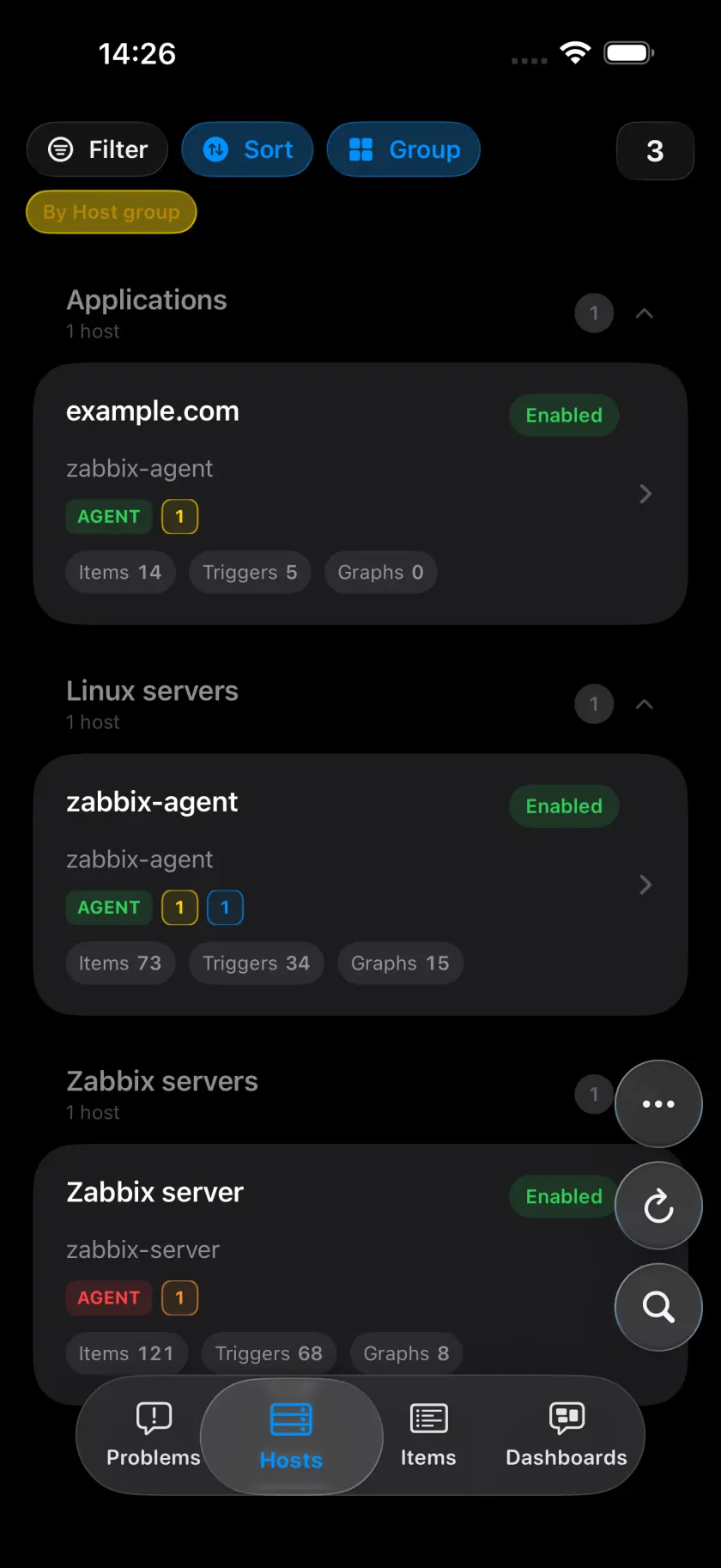
Start with the Problems list, then check the details, chart history, or latest values for a host. Dashboards bring the wider picture into view.
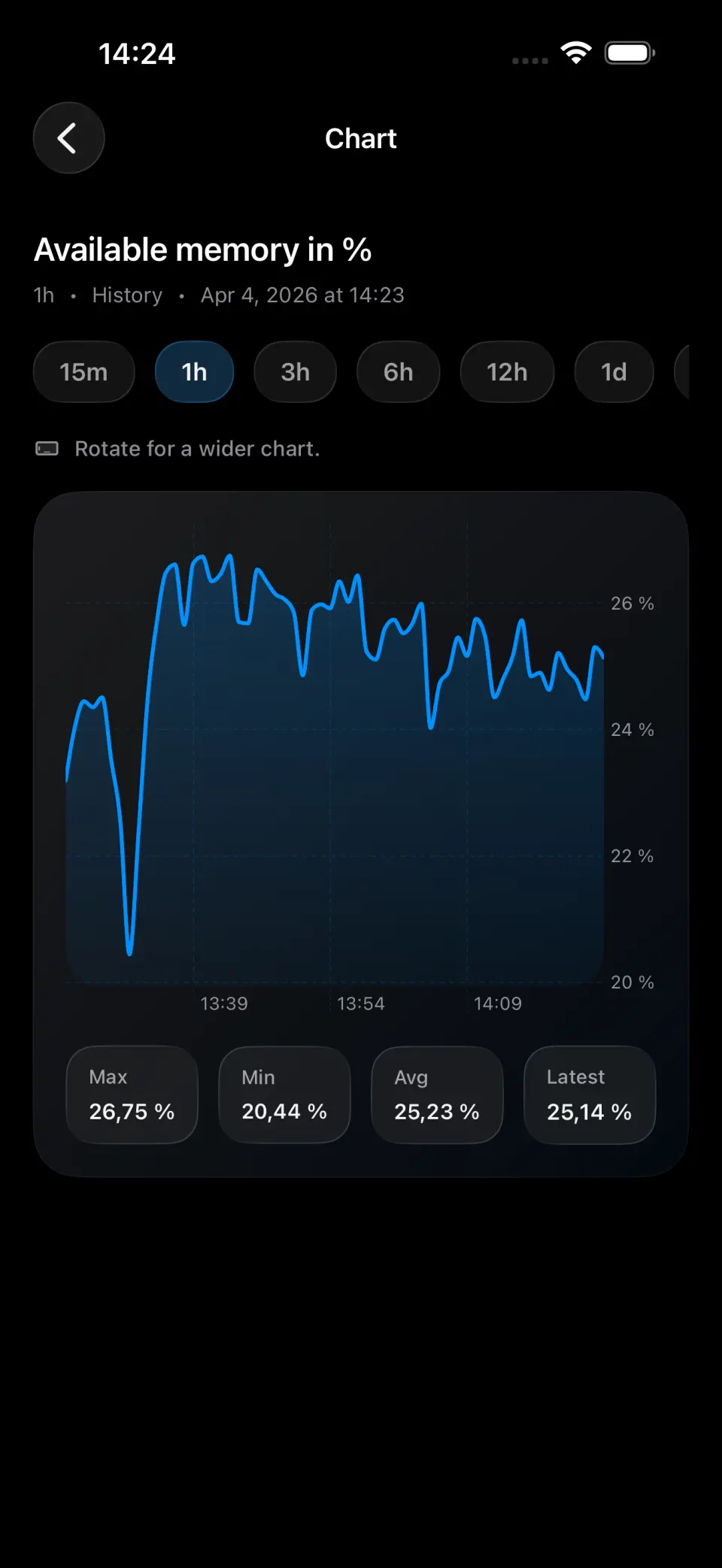
Choose a time range and inspect individual values to spot a sudden spike or a longer trend.
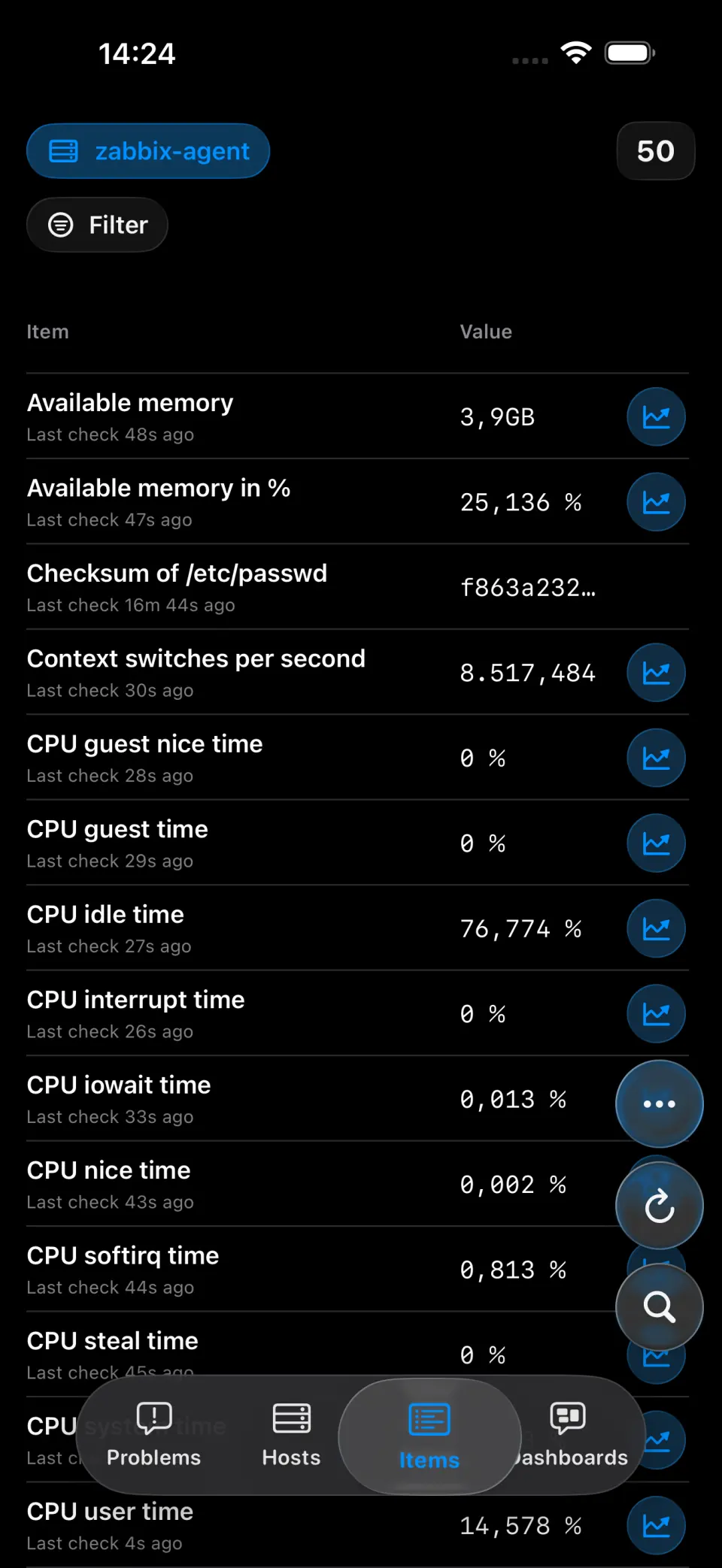
Choose a host, search or filter its latest values, and open a chart for the item you want to investigate.
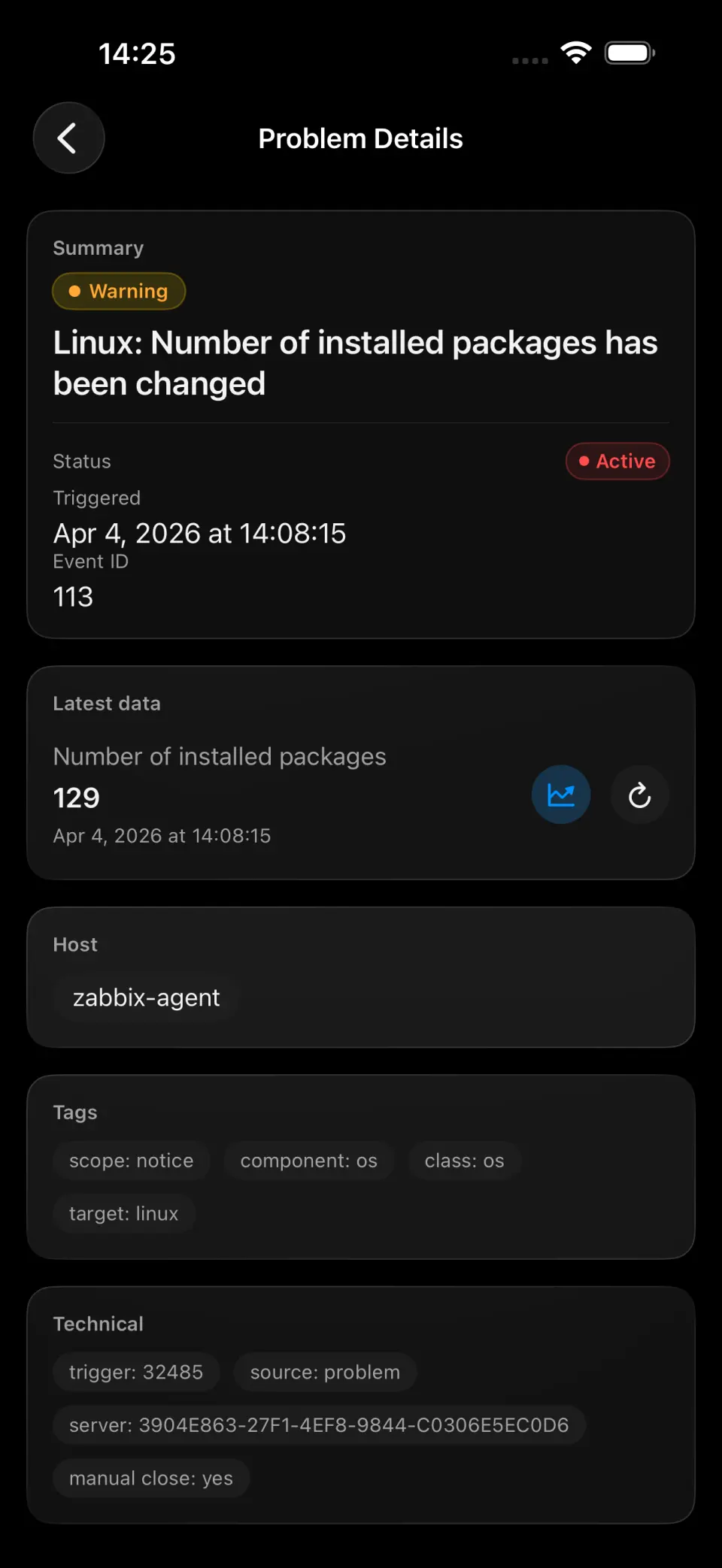
See the event details, follow its timeline, and check whether the problem has recovered.
A few things to know before connecting your first server.
Yes. You can browse problems, hosts, Items, dashboards, latest values, and charts on your iPhone. The app reads directly from Zabbix; support for Zabbix 8.0 is experimental.
Your iPhone connects to your Zabbix API over HTTPS. Browsing works without the TriggerDeck backend.
No. They stay in your iPhone's Keychain. The optional alert-gateway handles APNs registration and push delivery only.
The setup guide explains the connection, token storage, and optional push notifications. Start with one server before rolling out to your team.